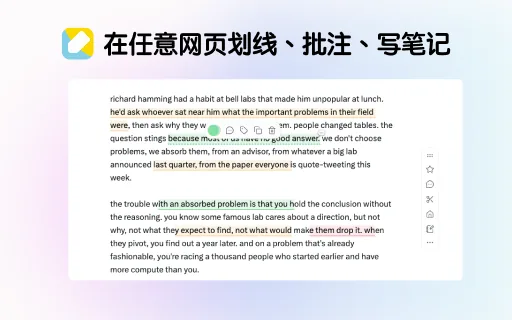
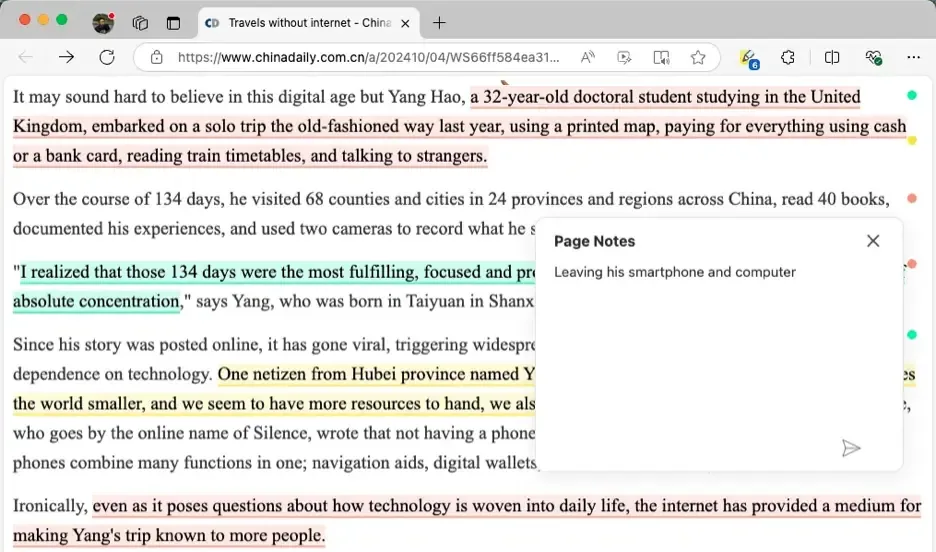
Years of iteration and site-by-site compatibility work, built for highlighting and annotating real web pages.
Every browser and device
Chrome, Edge, Firefox and Safari, plus phones and tablets — your highlights follow you across all of them.
Sync to your knowledge base
Send highlights, notes and clips to Obsidian, SiYuan, Logseq or flomo, or pull them through the API.
Open API and integrations
An open API already used by uTools, PopClip, Quicker and OpenClaw, plus a CLI for batch export.
This is the WuCai home site: the product homepage and documentation in both Chinese and English live here. Accounts, dashboards and data are still operated per region. 中文版本 →
WuCai runs several independent services worldwide. Accounts and data are isolated per region — you cannot sign in across regions. Pick the one closest to you:
Users in Asia should start here: faster access from mainland China, Chinese content, local payment methods and Chinese legal terms. This home site also carries the full Chinese docs.
Europe (UK, France and other European countries)
dashboard eu.wucainote.com
Europe region accounts, English UI and GDPR terms.
North America (US, Canada, Mexico and others)
dashboard us.wucainote.com
North America region accounts, English UI.
Not sure which one, or signing in to an existing account → Sign in and region selection. Pricing currency, payment methods, app stores and legal terms differ between the three regions; see that page for details.
What is WuCai Highlight, and which browsers does it support? — A browser extension for highlighting, annotating and note-taking. Chrome, Edge, Firefox and Safari, on desktop, phones and tablets. Full feature list
Is it free? — The free plan covers highlighting, annotation and notes. PRO membership is billed yearly and unlocks the assistant and API. Compare plans
Where are my highlights stored? — In the cloud, tied to your account. Sign in elsewhere and your whole library is there. Install and sign in
Can I sync highlights to Obsidian? — Yes, Obsidian, SiYuan, Logseq and flomo are supported, with customisable templates. How sync works
Does it work with PDF files? — Not yet; WuCai focuses on web pages. What is supported
Can I use it on a phone? — Yes, install the extension in Edge on Android/iOS, or use the dashboard. Mobile options
More answers in the FAQ; if nothing helps, contact us.