
WuCai as an Obsidian Web Clipper: From Web Highlights to Vault Notes
WuCai sits before Obsidian in the reading pipeline: you read in the browser, highlight and annotate as you go, and WuCai turns those marks into Markdown notes in your vault. Think of it as a capture layer — the step between reading something and actually having it in your knowledge base.
This is a workflow guide. For the click-by-click setup, see How to Sync Web Highlights to Obsidian (Step by Step).
The gap a clipper leaves
Obsidian has no opinion on how a web page becomes a note, which is exactly why the capture step is yours to design.
A web clipper saves a page in one shot. You get an article — and then you still have to re-read it to find the three sentences that mattered, the thought you had in the margin, and your verdict on the whole piece. Those are the parts worth keeping, and they are the parts a full-page capture buries.
What you actually want in your vault is not a copy of the page. It is your reading of it.
The workflow: read → mark → sync
- Read and mark in the browser. Highlight sentences, add annotations, clip whole articles, or attach a page note to the URL when the thought is about the article rather than a specific line.
- WuCai keeps the marks in your account. Highlights, colours, annotations, page notes and tags survive reloads, device switches and browser reinstalls, and are visible in the marker.dotalk.cn dashboard.
- Sync into the vault. The Obsidian community plugin writes those marks into your vault as Markdown notes, laid out by a template you control.
That third step is the whole point of the sync path: reading stops being a dead end and becomes input to your notes.
What actually lands in Obsidian
- Highlights and annotations become Markdown notes, formatted by a template. Colours can map to tags, and multi-level tags carry over — see the template reference and template functions.
- Full-text clippings save the whole article alongside your marks, not instead of them (web clipping).
- Page notes sync too, so a note about the article as a whole lands with the notes about its sentences.
- The sync is one-way by design — WuCai → vault. The web page stays the source of truth; editing a note in Obsidian does not rewrite the highlight on the page.
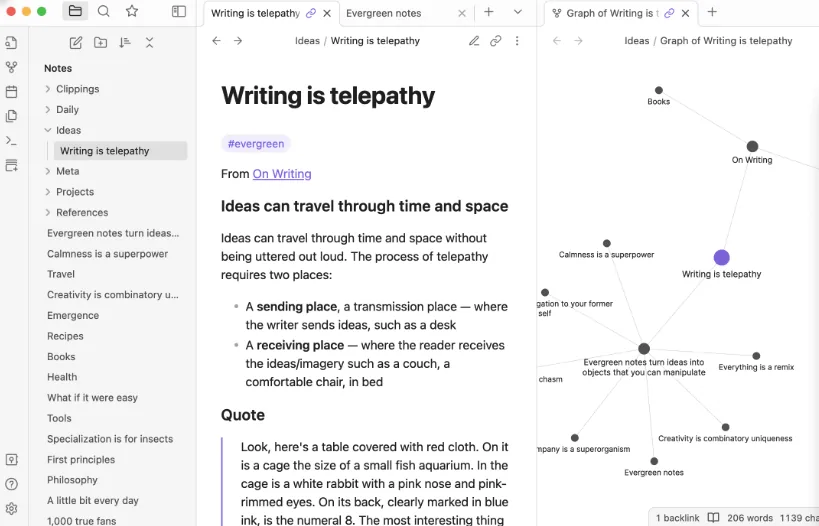
Clipping vs capturing: two different jobs
This is not a choice of one tool over another — plenty of people use both.
| Save the page | Capture your reading | |
|---|---|---|
| Unit | The whole article | Your highlights, annotations and page note |
| Output | A copy you still have to re-read | Notes already in your own words, searchable |
| When | Before or after reading | While reading |
| Best for | Archiving a source | Building a knowledge base |
A clipper answers where did I read this. A capture layer answers what did I think about it. If your vault is a place you think, the second question is the one worth automating.
When this setup fits, and when it doesn't
It fits if you read on the web, want your reading to accumulate into a searchable knowledge base, work across several devices, and already use Obsidian (or SiYuan / Logseq / flomo / Workflowy) as a second brain.
It doesn't fit if:
- Your reading is mostly PDFs. WuCai is web-only today; PDF highlighting is not supported.
- You need two-way sync. The sync is deliberately one-way.
- You insist on no account at all. WuCai is cloud-based; we wrote up why we chose that trade-off.
Set it up
You don't need another walkthrough here. Install the WuCai community plugin inside Obsidian, sign in, pick a target folder, then sync — the step-by-step guide covers each step, and the sync docs cover templates, regions and troubleshooting.
Start with one article: highlight two sentences, add one annotation, attach a page note, and sync. Seeing your own marks appear as a note in your vault makes the workflow click faster than any explanation.
FAQ
Is WuCai an Obsidian web clipper? Not in the save-the-whole-page sense. It is a web highlighter that also clips: you mark up a page as you read, and it syncs highlights, annotations, page notes and full-text clippings into Obsidian as Markdown — a capture layer more than a clipper.
How is this different from Obsidian's official Web Clipper? A clipper saves the page; WuCai saves your reading of it. The official clipper captures an article in one shot; WuCai captures what you selected and wrote while reading, and keeps those marks as the main content.
Is the sync two-way? No. It is one-way by design — WuCai sends to your vault, and the web page stays the source of truth.
Besides Obsidian, where else can WuCai sync? Obsidian, SiYuan, Logseq, flomo and Workflowy. Notion is not supported.
Does this workflow cover PDFs? No. WuCai covers web pages only; PDF highlighting is not supported.
Related: Sync web highlights to Obsidian (step by step) · Page note vs highlight · What is a web annotation tool · Why WuCai is cloud-based