
flomo sync
Send your WuCai highlights to flomo automatically.
Before you start
- This feature requires a WuCai PRO membership.
- You also need a flomo PRO account.
- Open the flomo settings and copy your flomo API — you will paste it into WuCai.
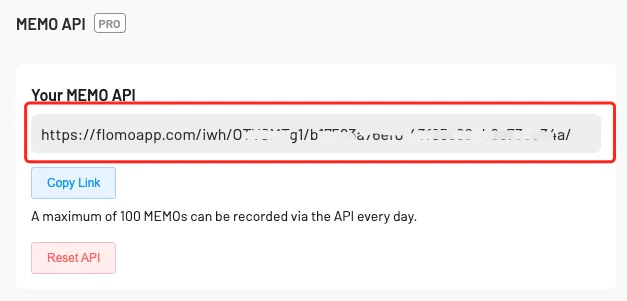
- Open the WuCai flomo settings.
How to use
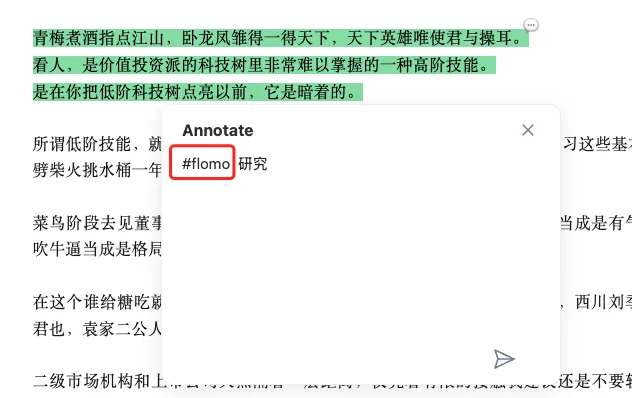
After highlighting, add the matching tag in the note.
Or tag the highlight itself.
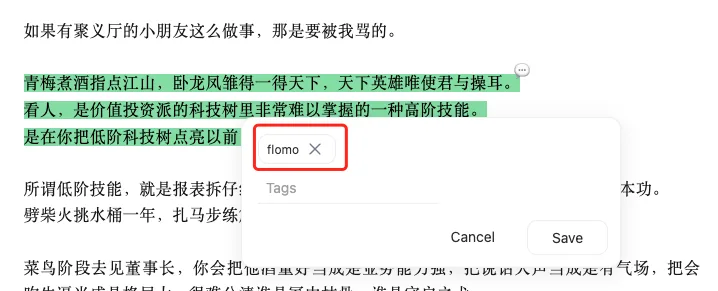
Which tags trigger a sync is configured on the WuCai flomo settings page.
Card format
When a highlight is sent to flomo you can customise the card template. The available variables are:
{{{note}}} the highlighted text
{{{anno}}} your note on the highlight
{{{tags}}} highlight tags, e.g. #read
{{{title}}} the title of the page the highlight came from
{{{url}}} the URL of that page
{{{wucaiurl}}} the WuCai link for that highlight
Mind the brackets
Each variable uses three braces, not two.
Default template
{{{note}}}
> {{{anno}}} {{{tags}}}
Good to know
- flomo sync fails without a flomo paid plan.
- flomo accepts 100 items per day.
- Highlights beyond that limit are sent the next day.
- Sync is not instant: the WuCai server schedules it, usually every 5–10 minutes.
- Tag rules exist to keep unnecessary highlights out of flomo.
- Duplicates can happen: editing the same highlight several times triggers several syncs.
Other sync options: Sync and export · Obsidian · SiYuan · Logseq