WuCai API
Available to PRO members only.
All endpoints take POST requests with a JSON body. A response with code equal to 1 means success — note that success is not 0.
Generate an API link
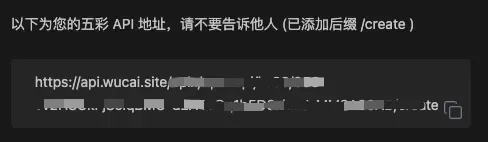
Open the API settings in the dashboard and copy the link from the input box. That is your create API.
Send content
API: $baseAPI/create
Method: POST + json
Params:
content: text to save, string
Example:
bash
curl --location --request POST 'your create API here' \
--header 'Content-Type: application/json' \
--data-raw '{
    "content": "text to save"
}'
Get the highlights of a page
The dashboard shows the create API by default. Replace /create with /highlights in the URL to get the highlights endpoint.
API: $baseAPI/highlights
Method: POST + json
Params:
url string the page you want highlights for
Example:
bash
curl --location --request POST 'https://api.wucai.site/xxxxx/highlights' \
--header 'Content-Type: application/json' \
--data-raw '{
    "url":"https://example.com/article"
}'
Response fields:
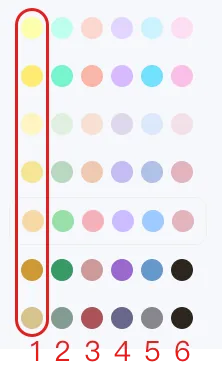
refidstring — highlight idslotidint — 1 to 6, the colour of the highlightnotestring — the highlighted textimageurlstring — image URL for image highlightsannostring — the annotation
Whatever colour theme you use, the same slot id maps to a similar colour: